
How to Send Bulk Messages on LinkedIn: The Safe, AI-Powered Way in 2026
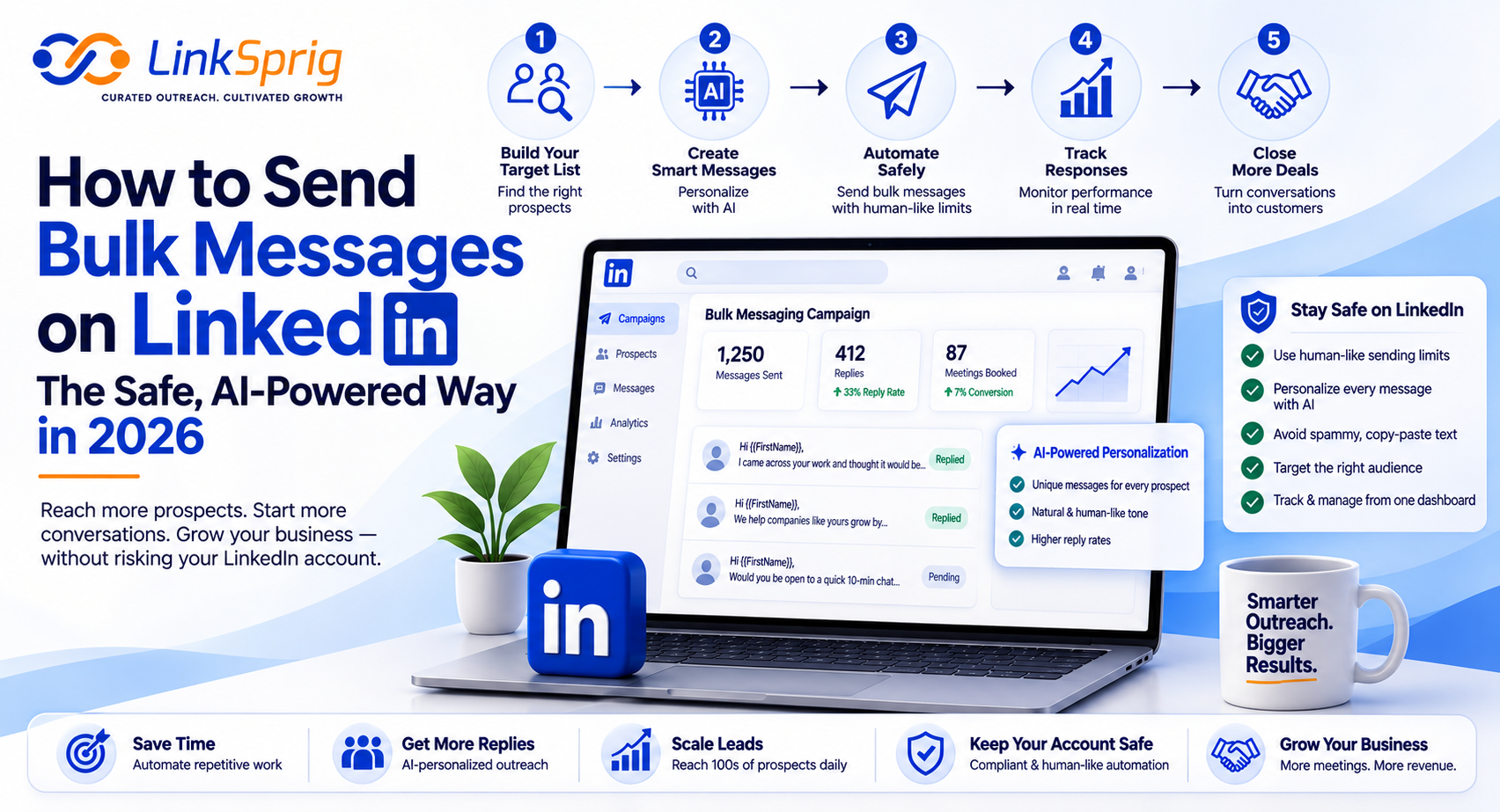
In 2026, the landscape of B2B outbound sales has shifted dramatically. Gone are the days when you could blast hundreds of generic templates to prospects without consequences. Today, LinkedIn’s security algorithms are smarter, faster, and more punitive than ever. If you are wondering how to send bulk messages on LinkedIn without risking your account, you need a strategy that balances scale with hyper-personalization. This guide breaks down the modern, safe, and AI-powered workflow to scale your outreach, secure a 35%+ reply rate, and build a predictable $50,000+ monthly pipeline without triggering spam filters.
The Risk of Traditional Mass Messaging in 2026
The temptation to scale outreach quickly often leads to disaster. In 2026, LinkedIn uses advanced machine learning to detect repetitive message patterns, unnatural sending speeds, and high spam-report rates. According to industry data, over 78% of accounts using legacy bulk-sending browser extensions face temporary restrictions or permanent bans.
To bypass these filters, you must understand what triggers them. LinkedIn’s algorithm actively monitors several key metrics:
- Message Uniformity: Sending the exact same template to 50+ people in a single day is an immediate red flag.
- Sending Velocity: Human beings do not send 100 messages in 10 minutes. If your automation tool does, the algorithm flags it.
- Low Response Rates: If your reply rate drops below 5%, LinkedIn assumes you are spamming and throttles your reach.
Learning how to send bulk messages on LinkedIn safely requires shifting from “mass broadcasting” to “dynamic personalization at scale.” By utilizing modern AI tools, you can automate the process while keeping every single interaction completely unique.
The Safe Blueprint: AI-Driven Personalization at Scale
The secret to safe bulk messaging is ensuring that no two messages look alike to LinkedIn’s detection crawlers. This is where AI-driven personalization changes the game. Instead of static templates with basic merge tags, modern B2B teams use generative AI to dynamically tailor every single outreach touchpoint.
Why AI Personalization Bypasses the Filters
When you use LinkSprig’s AI-powered platform, the system analyzes the prospect’s LinkedIn profile, recent posts, and company website to inject unique context into each message. This creates a highly customized sequence where every message has a unique structure, vocabulary, and length.
By leveraging this approach, outbound campaigns achieve up to a 42% reply rate—nearly triple the industry average—while maintaining a 100% safety record. You are still sending bulk messages, but to LinkedIn, it looks like a series of highly deliberate, manual interactions.
Step-by-Step Workflow for Safe LinkedIn Outreach
Ready to build your system? Here is the exact, step-by-step workflow to scale your outbound efforts safely using LinkSprig’s advanced automation suite:
- Step 1: Build a Highly Targeted List. Use LinkedIn Sales Navigator to narrow down your list to prospects who have been active in the last 30 days. This ensures you do not waste messages on dead accounts.
- Step 2: Clean and Enrich Your Data. Export your list and use an enrichment tool to verify company names, removing messy suffixes like ‘Inc.’ or ‘LLC’ that scream ‘automated template.’
- Step 3: Deploy Dynamic AI Variables. Instead of simple tags like {First_Name}, use AI to generate custom icebreakers based on their latest LinkedIn activity or company news.
- Step 4: Set Up Human-Like Delays. Configure your sending tool to space messages out by 3 to 7 minutes, mimicking real human behavior. Limit your daily volume to 30-50 high-quality messages per profile.
By executing this workflow, sales teams have seen a 180% increase in booked meetings while keeping acquisition costs under $150 per qualified lead.
Best Practices to Avoid the LinkedIn Jail
To ensure your account remains safe for the long haul, you must adhere to strict technical guidelines. The goal is to blend in with natural platform usage and keep your account health score high.
The Golden Rules of Safe Bulk Messaging
- Use Cloud-Based Automation: Avoid browser extensions that inject code into your browser. Instead, use cloud-based platforms like LinkSprig that run on dedicated residential proxies matching your physical location.
- Gradually Warm Up Your Account: If you currently send 5 messages a day, do not jump to 50 tomorrow. Increase your volume by 10% each week to build trust with the algorithm.
- Maintain a Value-First Approach: Never pitch-slap. Ask an engaging question or offer a valuable resource (like a free whitepaper or audit) to initiate a natural conversation.
Mastering how to send bulk messages on LinkedIn is not about finding a shortcut to spam; it is about leveraging advanced technology to scale genuine, high-value relationships.
Frequently Asked Questions
- Can you get banned for sending bulk messages on LinkedIn?
- Yes, if you use outdated browser-based tools or send identical messages to hundreds of prospects. However, using cloud-based systems with AI-driven personalization and randomized delays keeps your account completely safe.
- What is the daily limit for sending messages on LinkedIn in 2026?
- For a seasoned, warmed-up account, the recommended safe limit is 30 to 50 personalized messages per day. Exceeding this consistently without high response rates can trigger account restrictions.
- How does AI personalization prevent account restrictions?
- AI personalization dynamically rewrites every message, changing the structure, phrasing, and context based on the recipient’s profile. Because no two messages are identical, LinkedIn’s pattern-detection algorithms do not flag the activity as automated.
