
LinkedIn Automation for Small Business: Generate B2B Leads Without a Sales Team
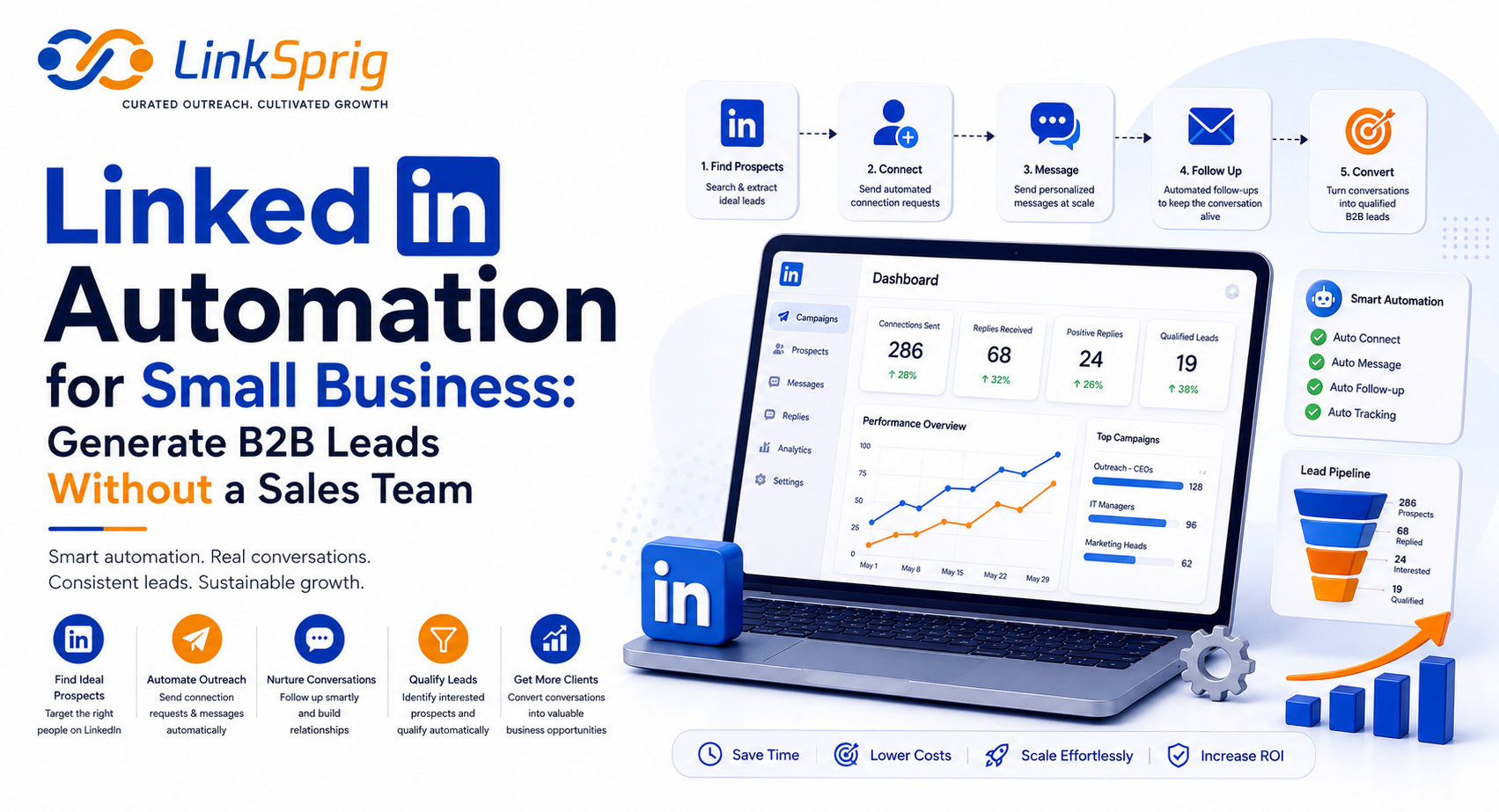
For small business owners and lean startup founders, time is the ultimate currency. When you are wearing the hats of CEO, product manager, and customer support specialist all at once, building a consistent sales pipeline often falls by the wayside. Hiring a dedicated sales development representative (SDR) can cost upwards of $65,000 a year—a luxury many small businesses simply cannot afford. Fortunately, LinkedIn automation for small business has emerged as the ultimate equalizer. By leveraging smart, cloud-based tools, you can build a 24/7 outbound engine that books qualified demo calls on autopilot, allowing you to generate high-value B2B leads without a dedicated sales team.
The Leverage Era: Why Small Businesses Must Automate
In the highly competitive B2B landscape of 2026, manual prospecting is no longer viable for lean teams. According to recent industry surveys, over 84% of high-growth small businesses attribute their pipeline consistency to automated outreach tools. Relying on manual connection requests and copy-pasted follow-ups limits your reach to perhaps 10 or 15 prospects a day before fatigue sets in. With specialized LinkedIn automation for small business, you can scale that reach safely, predictably, and systematically.
By automating the top of your funnel, you achieve several critical advantages:
- Continuous Pipeline Growth: While you sleep, meet with clients, or build your product, your automation sequence is actively engaging ideal prospects.
- Drastically Lower Customer Acquisition Costs (CAC): Instead of spending $5,000+ per month on outbound sales agencies or dedicated SDRs, a robust automation stack costs less than $150 per month.
- Consistent Data Collection: Automation tools track open rates, response rates, and booking percentages, giving you clear insights to optimize your messaging over time.
By treating LinkedIn as a scalable system rather than an ad-hoc networking tool, small businesses can achieve up to a 300% increase in qualified sales appointments within the first 90 days of implementation.
The 3-Step Automated Lead Generation Blueprint
Setting up an automated system doesn’t mean sacrificing the personal touch. In fact, the most successful campaigns rely on highly targeted data and hyper-personalized message flows. Here is the exact workflow to implement LinkedIn automation for small business without sounding like a spam bot:
1. Define and Filter Your Ideal Customer Profile (ICP)
Never run automation on a broad, generic search. Use LinkedIn Sales Navigator to narrow down your list. Filter by geography, company headcount (e.g., 11-50 employees for mid-market small businesses), exact job titles, and past activity. Targeting active users—those who have posted on LinkedIn in the last 30 days—can boost your connection acceptance rates by up to 45%.
2. Map Out a Multi-Step Engagement Sequence
Do not pitch on the very first message. A high-converting automation sequence typically looks like this:
- Day 1: Profile View & Follow. This triggers a notification, warming up the prospect.
- Day 3: Connection Request with a highly relevant, soft-touch message (or no message at all, which often yields a 30% higher acceptance rate).
- Day 5: Value-first Welcome Message. Share a helpful resource, case study, or industry insight without asking for a call.
- Day 10: The Soft Ask. Ask a low-friction question related to their current pain points.
3. Set Up Automated Triggers and Actions
Use a modern, cloud-based automation tool to execute these steps. Ensure your tool has built-in safety features like randomized delays between actions and auto-detection of replies, which immediately pauses the sequence once a prospect responds so you can step in manually.
Copywriting Secrets: Crafting Messages That Convert
The technology behind your outreach is only as good as the copy you feed it. If your messages look like generic, automated templates, your response rates will plummet. To succeed with LinkedIn automation for small business, your copywriting must feel authentic, concise, and focused entirely on the prospect’s needs.
Consider this high-performing template designed for lean B2B founders:
“Hi [First Name], noticed you’re leading the [Department] team at [Company Name]. I recently put together a short checklist on how similar teams are reducing their software overhead by 22% this year. Would you be open to me dropping the PDF link here? No pitch, just thought it might help.”
This works because it asks for permission, offers immediate value, and requires zero commitment from the prospect. Once they reply “Sure,” the automation pauses, and you can personally deliver the resource and initiate a genuine conversation. This hybrid approach—automated prospecting combined with human conversation—consistently yields a 15% to 25% positive response rate.
Staying Safe: LinkedIn Algorithms and Limits in 2026
The most common fear surrounding automation is account restriction. LinkedIn actively monitors platform activity to prevent spam, but you can easily stay under the radar by mimicking natural human behavior. In 2026, the platform strictly enforces weekly connection limits. To protect your profile, adhere to these golden rules:
- Use Cloud-Based Tools: Avoid browser extensions that inject code into your browser. Cloud-based tools operate on dedicated, static IP addresses that match your local region, making your automated actions look completely organic.
- Enforce Strict Daily Limits: Limit your account to 20-30 connection requests and 30-40 messages per day. Pushing beyond these numbers flags your account for unusual activity.
- Gradually Warm Up Your Account: If you are starting fresh, do not send 50 messages on day one. Start with 5 daily actions and increase the volume by 10% each week.
- Maintain a High Acceptance Rate: If your connection acceptance rate drops below 20%, LinkedIn’s algorithm may flag your outreach as spam. Regularly withdraw pending requests that are older than 14 days to keep your profile healthy.
By respecting these boundaries, you can reap all the benefits of automation while keeping your personal brand and LinkedIn account completely safe.
Frequently Asked Questions
- Is LinkedIn automation allowed under LinkedIn’s terms of service?
- While LinkedIn’s terms discourage the use of third-party software, using high-quality, cloud-based tools that mimic human behavior and operating within standard daily limits keeps your account safe and compliant.
- How much does it cost to set up LinkedIn automation for a small business?
- A complete stack—including a cloud-based automation tool and LinkedIn Sales Navigator—typically costs between $150 and $250 per month, saving you thousands compared to hiring a full-time sales representative.
- What is a realistic response rate for automated campaigns?
- With a highly targeted list and value-first messaging, small businesses can expect a 25% to 40% connection acceptance rate and a 15% to 20% response rate on follow-ups.
