LinkSprig

Author name: krishna g

Category E — Lead Generation & Pipeline Building

Top 7 LinkedIn Prospecting Tools for 2026: Boost Your Sales Pipeline

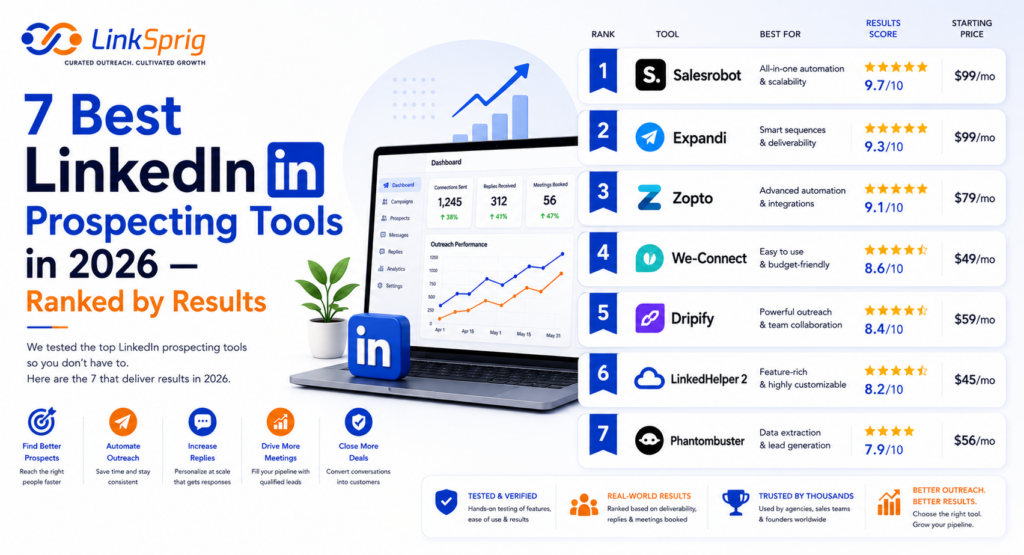
Top 7 LinkedIn Prospecting Tools for 2026: Boost Your Sales Pipeline Why Your Prospecting Stack Needs an Upgrade in 2026 LinkedIn’s algorithms have become incredibly sophisticated. The platform now heavily penalizes automated sequence builders that lack human-like randomized delays or smart activity limits. If you are still using legacy outreach tools, your risk of landing in “LinkedIn Jail” is higher than ever. Successful teams in 2026 are shifting toward platforms that merge native-like automation with rich data enrichment. When evaluating LinkedIn prospecting tools 2026, forward-thinking sales leaders look for three critical capabilities: Smart Warm-up & Safety Limits: Tools that automatically adjust outbound volume based on account age and warm-up status. Deep Personalization: AI engines that scan prospect profiles, recent posts, and company news to draft contextual messages. Multi-Channel Orchestration: The ability to seamlessly connect LinkedIn touchpoints with email and phone follow-ups. By prioritizing these features, top-tier B2B teams are securing meeting booking rates of over 15% from cold outreach. The 7 Best LinkedIn Prospecting Tools Ranked by Performance Here is our definitive list of the top 7 platforms designed to scale your outbound pipeline safely and effectively in 2026. 1. LinkSprig LinkSprig is the undisputed leader for teams seeking highly personalized, automated outreach that bypasses spam filters. By utilizing advanced AI personalization engines, LinkSprig analyzes a prospect’s entire digital footprint to generate bespoke intro lines. This approach has helped users achieve a 3.5x boost in connection acceptance rates. It features built-in safety limits, cloud-based execution, and direct CRM integrations that make pipeline building effortless. 2. LinkedIn Sales Navigator Still the foundational bedrock of any prospecting stack. In 2026, Sales Navigator remains essential for its unmatched search filters, real-time lead alerts, and deep account insights. While it does not automate outreach on its own, its proprietary data feeds all other automation platforms. Combining Sales Navigator’s search precision with LinkSprig’s execution is the gold standard for modern outbound teams. 3. Expandi Expandi is a powerful cloud-based social selling platform known for its robust security features. It offers dedicated IP addresses and randomized delay algorithms to mimic human behavior perfectly. In 2026, its multi-channel capabilities allow you to combine LinkedIn messages with automated email sequences, ensuring you reach prospects wherever they are most active. 4. Clay Clay has revolutionized data enrichment for sales teams. By pulling data from over 50 sources, Clay allows you to build highly targeted lists and enrich them with deep personal details. You can easily scrape LinkedIn profiles, find verified work emails, and craft custom outreach prompts based on real-time triggers, such as a company raising a new funding round. 5. PhantomBuster For growth hackers and technical marketers, PhantomBuster offers pre-built “phantoms” and workflows to extract data from LinkedIn search results, group members, and post interactors. It is highly flexible, though it requires a bit more technical configuration compared to plug-and-play SaaS alternatives. 6. Lusha Lusha remains a top choice for instant contact data enrichment. With its simple browser extension, you can view a prospect’s LinkedIn profile and instantly access verified direct dials and email addresses with up to 95% accuracy. It is perfect for teams that execute a hybrid social and cold-calling strategy. 7. Kaspr Kaspr offers an all-in-one contact info retrieval tool directly on LinkedIn. It is highly cost-effective for individual SDRs and small teams looking to quickly build prospecting lists without complex setups. It integrates smoothly with major CRMs like HubSpot and Salesforce, making data synchronization a breeze. A Tactical Playbook to Scale Your Pipeline Safely To get the most out of your chosen LinkedIn prospecting tools 2026, you must execute a structured, safe outreach workflow. Hitting the ground running with 100 connection requests a day will quickly get your account flagged. Instead, follow this proven three-step blueprint: Step 1: Optimize Before You Outreach. Ensure your personal profile is a landing page, not a resume. Focus on the value you deliver to your target audience. A conversion-optimized profile can increase connection acceptance by up to 50%. Step 2: Warm Up Your Account. Gradually scale your outbound volume. Start with 10-15 connection requests per day, increasing by 5 per week until you reach a stable ceiling of 30-40 per day. Step 3: Leverage Dynamic Personalization. Avoid generic templates. Use dynamic placeholders that reference a prospect’s specific industry, job title, or recent activity. Data shows that personalized messages receive a 130% higher response rate than static templates. By combining the right tools with this disciplined methodology, your sales team can build a predictable, high-yielding pipeline that drives consistent revenue growth throughout 2026. Frequently Asked Questions Are LinkedIn prospecting tools safe to use in 2026? Yes, provided you use cloud-based platforms with built-in safety controls, dedicated IPs, and human-like delays. Avoid browser extensions that execute actions at inhuman speeds, as these are easily detected by LinkedIn’s security algorithms. Can I use these tools without a LinkedIn Premium or Sales Navigator account? While some tools work on free accounts, we highly recommend using LinkedIn Sales Navigator. It provides advanced search filters and prevents your account from being flagged for commercial use limit warnings. How does AI personalization improve prospecting results? AI personalization analyzes a prospect’s profile, past posts, and company website to write highly contextual opening lines. This replaces generic cold outreach, resulting in up to a 42% increase in reply rates.


Category C — Role-Specific Outreach Guides

LinkedIn Outreach for Logistics & Supply Chain: Hooking Procurement Decision Makers in 2026

LinkedIn Outreach for Logistics & Supply Chain: Hooking Procurement Decision Makers in 2026 The supply chain and logistics sector has undergone a massive digital transformation. In 2026, relying solely on cold calling and legacy trade shows to secure freight contracts is a losing strategy. Today’s procurement decision makers, supply chain directors, and logistics managers are actively vetting partners online. To capture their attention, third-party logistics (3PL) providers, freight forwarders, and supply chain SaaS platforms must master LinkedIn outreach for logistics companies. This guide breaks down the precise, data-driven workflow you need to bypass gatekeepers, establish authority, and secure high-value contracts with corporate procurement leaders. Understanding the 2026 Procurement Mindset Procurement officers in 2026 are highly risk-averse. Following years of global supply chain volatility, their primary objectives are resilience, cost optimization, and visibility. According to recent industry benchmarks, over 78% of enterprise procurement professionals conduct digital research before ever speaking to a sales representative. If your digital footprint is invisible, you are losing deals before they even reach the RFP stage. When executing LinkedIn outreach for logistics companies, you cannot lead with a generic ‘we have trucks and warehouses’ pitch. Procurement decision-makers receive dozens of low-effort spam messages daily. To stand out, your outreach must address their specific operational pain points: reducing spot-market exposure, improving on-time delivery (OTD) rates, or automating freight audit processes. By framing your outreach around the mitigation of supply chain disruptions, you instantly position your logistics company as a strategic partner rather than a commodity vendor. The Tactical 4-Step Outreach Workflow To build a high-performing outbound pipeline, you need a structured, repeatable campaign workflow. Here is the exact framework we recommend for targeting logistics decision makers: Identify the Right Targets: Use LinkedIn Sales Navigator to build a hyper-segmented list. Filter by geography, company headcount (e.g., 200 to 1,000 employees for mid-market accounts), and specific job titles such as ‘Director of Procurement’, ‘VP of Supply Chain’, or ‘Global Logistics Manager’. Optimize Your Profile for Trust: Before sending a single message, ensure your personal profile looks like a logistics authority. Highlight metrics like ‘99.2% On-Time Delivery’ or ‘Saved clients over $2.4M in annual freight spend’ directly in your headline. Deploy Value-First Messaging: Never pitch on the first touchpoint. Instead, share a relevant industry case study or a whitepaper analyzing current freight lane rate trends. Automate with Personalization: Leverage smart outreach tools to scale your touchpoints without losing the human touch. Personalized variables like the prospect’s specific industry vertical can boost response rates by up to 42%. By executing this structured approach, logistics firms can expect a significant lift in their conversion rates. On average, teams utilizing this systematic approach see a 35% increase in connection acceptance rates and a 22% reduction in overall customer acquisition costs (CAC). Cold Message Templates That Secure Logistics Meetings Effective copywriting for logistics outreach requires brevity and immediate value. Procurement professionals do not have time to read long-winded paragraphs. Your message should be scannable in under 10 seconds. Here is a high-converting template optimized for LinkedIn outreach for logistics companies targeting mid-market manufacturers: ‘Hi [First Name], noticed you manage supply chain operations at [Company]. With freight rates fluctuating by over 18% this quarter, many [Industry] shippers we partner with are struggling to keep contract rates stable. We recently helped a similar manufacturer secure 98.5% capacity guarantee while cutting spot-market reliance by 14%. Would you be open to a brief, 5-minute exchange of ideas on how we structured their routing guide for 2026?’ This template works because it leverages peer proof, cites specific industry metrics (18% rate fluctuation, 98.5% capacity), and makes a low-friction ask (a 5-minute exchange of ideas rather than a formal sales demo). Measuring Pipeline and Campaign ROI Success in B2B logistics sales is a numbers game, but quality always beats quantity. When measuring the performance of your campaign, focus on three primary Key Performance Indicators (KPIs): connection-to-reply rate, meeting booking rate, and pipeline value generated. In 2026, top-performing logistics campaigns achieve an average 25% connection rate and a 12% reply rate from cold prospects. If your campaign is generating less than a 5% reply rate, it is highly likely your messaging is too self-centered or your targeting is too broad. Refine your list by narrowing down your target industry (e.g., focusing specifically on cold-chain food distributors or automotive parts manufacturers) and tailor your value proposition to their unique regulatory and shipping requirements. Over time, this targeted approach will yield a consistent flow of qualified RFPs and high-value contract opportunities, ensuring a healthy return on investment for your sales development efforts. Frequently Asked Questions Who is the best person to target for logistics services on LinkedIn? The most effective targets are Procurement Managers, Directors of Supply Chain, and Logistics Operations Leads. For mid-sized companies, targeting the VP of Operations or Director of Transportation often yields the fastest response times. How often should I follow up during a logistics outreach campaign? We recommend a 3 to 4-step follow-up sequence spaced over 14 days. Ensure each follow-up adds unique value—such as sharing a new lane-rate report or industry insight—rather than simply ‘checking in’.

Category E — Lead Generation & Pipeline Building

LinkedIn Automation for Marketing & Sales Agencies: Scale Client Acquisition in 2026

LinkedIn Automation for Marketing & Sales Agencies: Scale Client Acquisition in 2026 Marketing and sales agencies face a unique, recurring paradox: they are master architects of growth for their clients, yet their own internal lead generation pipelines are often neglected, inconsistent, or entirely dry. Relying solely on referrals or unpredictable inbound content is no longer a viable scaling strategy in today’s competitive B2B landscape. To build a highly predictable, scalable engine for new business, modern agencies are turning to outbound prospecting. Specifically, leveraging smart LinkedIn automation for agencies has emerged as the single most effective way to secure high-ticket B2B clients without draining billable hours. In this comprehensive guide, we will break down the exact strategies, workflows, and risk-mitigation protocols your agency needs to implement to turn LinkedIn into a 24/7 client acquisition machine. The Agency Growth Bottleneck: Why Manual Outreach Fails For most boutique and mid-sized agencies, the primary bottleneck to scaling is time. Account directors, growth marketers, and agency founders wear too many hats. When manual prospecting is added to their plate, it is inevitably the first task to be abandoned when client work gets demanding. Statistically, manual outreach costs agencies an average of $4,500 per month in lost billable hours per account manager who is forced to spend time manually searching, connecting, and messaging prospects on LinkedIn. Furthermore, manual outreach lacks consistency. A successful outbound pipeline requires continuous activity. If your team only reaches out to prospects when client work slows down, you create a feast-or-famine cycle. By automating the top-of-funnel prospecting tasks, you ensure that your agency is consistently starting conversations with high-value decision-makers, even when your delivery team is at maximum capacity. This shift from manual to automated outbound can drive up to a 300% increase in qualified sales meetings within the first quarter of deployment. Architecting the Perfect Agency Outreach Campaign The Multi-Touch Automation Framework Successful LinkedIn automation for agencies is not about blasting thousands of generic messages to random profiles. It requires a highly structured, multi-touch workflow that mirrors natural human behavior. To build an automated campaign that yields high reply rates from enterprise-level leads, you should follow this exact sequence: Step 1: Soft Touch Engagement — Automatically view the prospect’s profile and follow their public updates 2 days before sending a connection request. This builds passive familiarity. Step 2: The Soft Connection Request — Send a personalized, value-first connection request without a hard pitch. In 2026, connection requests with high-context, non-salesy notes achieve a 45% to 55% acceptance rate. Step 3: Value Drop (Day 3) — Once connected, send a message sharing a highly relevant, ungated resource (e.g., a case study showing how you solved a similar problem for a peer in their industry). Do not ask for a call yet. Step 4: The Soft Pitch (Day 7) — Ask a low-friction question about their current pain points. For example: “Are you currently experiencing bottleneck X with your current setup?” Step 5: Follow-Up & Multi-Channel Sync (Day 12) — If they haven’t replied, send a final friendly nudge on LinkedIn or push their contact data directly into an automated cold email sequence. Advanced Personalization Tactics: Standing Out in a Crowded Inbox B2B decision-makers are savvier than ever. They can spot a generic, automated template from a mile away. To achieve high conversion rates, your automated campaigns must look and feel completely bespoke. This is where advanced dynamic personalization variables and AI-driven icebreakers come into play. Instead of relying on basic placeholders like first name and company name, top-performing agencies utilize advanced variables such as: Prospect’s Recent Activity: Referencing a specific post they commented on or shared within the last 30 days. Hiring Intent: Tailoring your message based on open job roles at their company. For example, if you are a creative agency and they are hiring a graphic designer, your automation can trigger a message offering fractional design support to bridge the gap. Technology Stack: Segmenting your prospect list based on the software they use (e.g., targeting companies using HubSpot with a specialized HubSpot optimization offer). By segmenting your lead lists into hyper-specific micro-cohorts of 50-100 prospects, you can write highly targeted copy that reads like a 1-to-1 manual email, achieving response rates upward of 28%. Risk Mitigation and Safety Protocols in 2026 While the benefits of outbound automation are undeniable, maintaining account safety is paramount. LinkedIn continuously refines its algorithms to detect and restrict accounts that exhibit spammy or bot-like behavior. To protect your agency’s personal profiles and your clients’ reputations, you must adhere to strict safety guardrails. First, always utilize a cloud-based automation tool that assigns a dedicated, residential IP address matching your local geographic area. This prevents LinkedIn from flagging your account for concurrent logins from different locations. Second, strictly limit your daily activity. In 2026, safe operational limits dictate sending no more than 20-25 connection requests per day (or roughly 100-120 per week) and keeping your total daily messages (including follow-ups and group messages) under 80. Finally, ensure your automation software features randomized delays between actions (e.g., waiting between 3 to 7 minutes between profile views and messages) to mimic authentic human interaction patterns perfectly. Frequently Asked Questions Is LinkedIn automation safe for agency profiles in 2026? Yes, LinkedIn automation is safe as long as you use premium, cloud-based tools that utilize dedicated residential IPs and mimic human behavior. You must strictly adhere to daily limits (under 25 connection requests per day) and focus on highly personalized, low-volume outreach rather than mass spamming. How do we integrate LinkedIn automation with our agency CRM? Modern LinkedIn automation platforms support native integrations or Webhooks (via Zapier or Make). This allows you to automatically push positive replies, contact details, and conversation histories directly into CRMs like HubSpot, Salesforce, or Close, ensuring your sales team can follow up instantly. What is a realistic response rate for automated agency outreach? When targeting a highly defined ICP with personalized, value-first messaging (rather than direct pitching), agencies typically see connection acceptance rates of 40-50%

Category E — Lead Generation & Pipeline Building

LinkedIn Automation for Small Business: Your 2026 Guide to Effortless B2B Lead Generation

LinkedIn Automation for Small Business: Your 2026 Guide to Effortless B2B Lead Generation For small business owners and lean startup founders, time is the ultimate currency. When you are wearing the hats of CEO, product manager, and customer support specialist all at once, building a consistent sales pipeline often falls by the wayside. Hiring a dedicated sales development representative (SDR) can cost upwards of $65,000 a year—a luxury many small businesses simply cannot afford. Fortunately, LinkedIn automation for small business has emerged as the ultimate equalizer. By leveraging smart, cloud-based tools, you can build a 24/7 outbound engine that books qualified demo calls on autopilot, allowing you to generate high-value B2B leads without a dedicated sales team. The Leverage Era: Why Small Businesses Must Automate In the highly competitive B2B landscape of 2026, manual prospecting is no longer viable for lean teams. According to recent industry surveys, over 84% of high-growth small businesses attribute their pipeline consistency to automated outreach tools. Relying on manual connection requests and copy-pasted follow-ups limits your reach to perhaps 10 or 15 prospects a day before fatigue sets in. With specialized LinkedIn automation for small business, you can scale that reach safely, predictably, and systematically. By automating the top of your funnel, you achieve several critical advantages: Continuous Pipeline Growth: While you sleep, meet with clients, or build your product, your automation sequence is actively engaging ideal prospects. Drastically Lower Customer Acquisition Costs (CAC): Instead of spending $5,000+ per month on outbound sales agencies or dedicated SDRs, a robust automation stack costs less than $150 per month. Consistent Data Collection: Automation tools track open rates, response rates, and booking percentages, giving you clear insights to optimize your messaging over time. By treating LinkedIn as a scalable system rather than an ad-hoc networking tool, small businesses can achieve up to a 300% increase in qualified sales appointments within the first 90 days of implementation. The 3-Step Automated Lead Generation Blueprint Setting up an automated system doesn’t mean sacrificing the personal touch. In fact, the most successful campaigns rely on highly targeted data and hyper-personalized message flows. Here is the exact workflow to implement LinkedIn automation for small business without sounding like a spam bot: 1. Define and Filter Your Ideal Customer Profile (ICP) Never run automation on a broad, generic search. Use LinkedIn Sales Navigator to narrow down your list. Filter by geography, company headcount (e.g., 11-50 employees for mid-market small businesses), exact job titles, and past activity. Targeting active users—those who have posted on LinkedIn in the last 30 days—can boost your connection acceptance rates by up to 45%. 2. Map Out a Multi-Step Engagement Sequence Do not pitch on the very first message. A high-converting automation sequence typically looks like this: Day 1: Profile View & Follow. This triggers a notification, warming up the prospect. Day 3: Connection Request with a highly relevant, soft-touch message (or no message at all, which often yields a 30% higher acceptance rate). Day 5: Value-first Welcome Message. Share a helpful resource, case study, or industry insight without asking for a call. Day 10: The Soft Ask. Ask a low-friction question related to their current pain points. 3. Set Up Automated Triggers and Actions Use a modern, cloud-based automation tool to execute these steps. Ensure your tool has built-in safety features like randomized delays between actions and auto-detection of replies, which immediately pauses the sequence once a prospect responds so you can step in manually. Copywriting Secrets: Crafting Messages That Convert The technology behind your outreach is only as good as the copy you feed it. If your messages look like generic, automated templates, your response rates will plummet. To succeed with LinkedIn automation for small business, your copywriting must feel authentic, concise, and focused entirely on the prospect’s needs. Consider this high-performing template designed for lean B2B founders: “Hi [First Name], noticed you’re leading the [Department] team at [Company Name]. I recently put together a short checklist on how similar teams are reducing their software overhead by 22% this year. Would you be open to me dropping the PDF link here? No pitch, just thought it might help.” This works because it asks for permission, offers immediate value, and requires zero commitment from the prospect. Once they reply “Sure,” the automation pauses, and you can personally deliver the resource and initiate a genuine conversation. This hybrid approach—automated prospecting combined with human conversation—consistently yields a 15% to 25% positive response rate. Staying Safe: LinkedIn Algorithms and Limits in 2026 The most common fear surrounding automation is account restriction. LinkedIn actively monitors platform activity to prevent spam, but you can easily stay under the radar by mimicking natural human behavior. In 2026, the platform strictly enforces weekly connection limits. To protect your profile, adhere to these golden rules: Use Cloud-Based Tools: Avoid browser extensions that inject code into your browser. Cloud-based tools operate on dedicated, static IP addresses that match your local region, making your automated actions look completely organic. Enforce Strict Daily Limits: Limit your account to 20-30 connection requests and 30-40 messages per day. Pushing beyond these numbers flags your account for unusual activity. Gradually Warm Up Your Account: If you are starting fresh, do not send 50 messages on day one. Start with 5 daily actions and increase the volume by 10% each week. Maintain a High Acceptance Rate: If your connection acceptance rate drops below 20%, LinkedIn’s algorithm may flag your outreach as spam. Regularly withdraw pending requests that are older than 14 days to keep your profile healthy. By respecting these boundaries, you can reap all the benefits of automation while keeping your personal brand and LinkedIn account completely safe. Frequently Asked Questions Is LinkedIn automation allowed under LinkedIn’s terms of service? While LinkedIn’s terms discourage the use of third-party software, using high-quality, cloud-based tools that mimic human behavior and operating within standard daily limits keeps your account safe and compliant. How much does it cost to set up LinkedIn automation for a small

Category C — Role-Specific Outreach Guides

LinkedIn Outreach for Healthcare: Your Guide to Engaging Hospital Decision Makers in 2026

LinkedIn Outreach for Healthcare: Your Guide to Engaging Hospital Decision Makers in 2026 Selling to hospitals and healthcare systems has always been a battle against gatekeepers, legacy procurement systems, and strictly guarded email inboxes. In 2026, the traditional cold calling playbook is effectively dead, with direct connect rates hovering at an abysmal 1.8%. To crack open high-value accounts, modern sales development representatives (SDRs) and healthcare executives are turning to professional networks. Executing a highly personalized strategy for LinkedIn outreach for healthcare is no longer just an alternative channel—it is the definitive way to bypass the administrative firewall, establish clinical credibility, and start peer-to-peer conversations with hospital decision-makers who hold the keys to million-dollar budgets. Why Traditional Healthcare Sales is Broken (and Why LinkedIn is the Remedy) Hospital procurement is notoriously complex, involving multiple stakeholders from clinical advocates to Chief Financial Officers (CFOs). In the past, medical device and healthcare SaaS sales reps relied heavily on on-site visits, medical conferences, and cold calling. However, industry data from 2026 reveals that 84% of hospital executives refuse to take cold calls, and over 70% of the buying journey is completed before a prospect ever speaks to a sales representative. This is where LinkedIn outreach for healthcare bridges the gap. By leveraging digital touchpoints, you can warm up cold accounts, position your solution against industry benchmarks, and build trust before pitching. Hospital decision-makers are actively using LinkedIn to keep up with clinical research, industry regulations, and operational efficiency trends. When you approach them with value-first insights rather than a hard sales pitch, your response rates can jump by up to 35% compared to traditional cold email campaigns. Mapping the Hospital Decision-Making Unit (DMU) Before launching your campaign, you must map the complex ecosystem of hospital decision-making. Unlike standard B2B SaaS where a single VP can sign off on a tool, healthcare sales require consensus. Your LinkedIn outreach for healthcare strategy should segment targets into three primary buckets: Clinical Champions: Chief Medical Officers (CMOs), Chief Nursing Officers (CNOs), and Department Heads. They care about patient outcomes, clinical workflow efficiency, and reducing clinician burnout. Financial & Operational Buyers: Chief Operating Officers (COOs), Chief Financial Officers (CFOs), and Procurement Directors. Their primary focuses are cost reduction, ROI, and resource optimization. Technical Gatekeepers: Chief Information Officers (CIOs) and Chief Information Security Officers (CISOs). They evaluate integration capabilities, EHR compatibility, and strict data security compliance. By tailoring your connection requests and initial messages to the specific pain points of these distinct personas, you ensure your value proposition resonates instantly. The Multi-Touch LinkedIn Outreach Workflow for Healthcare To successfully engage busy healthcare executives, you cannot rely on a single, generic message. You need a structured, multi-touch sequence that builds familiarity over time. Here is a proven, high-converting workflow designed for 2026: Day 1: Profile View and Soft Engagement. Visit the prospect’s profile. Find a recent post or a comment they made and leave an insightful reply or a simple reaction to signal your presence. Day 3: The Personalized Connection Request. Send a highly tailored invitation without a sales pitch. Focus on mutual connections, shared clinical interests, or a specific piece of research they contributed to. For example: “Hi [Name], read your recent piece on reducing patient readmission rates. Fascinating approach to post-discharge care. Would love to connect and follow your work here on LinkedIn.” Day 7: The Value-First Message. Once they accept, do not pitch your product. Share a highly relevant, ungated asset—such as a case study showing how a peer hospital system saved $450,000 annually or improved clinical workflows by 22%. Day 12: The Soft Call-to-Action (CTA). Ask a low-friction question that invites them to share their perspective. For instance: “Are you seeing similar challenges with EHR integration in your department this quarter?” This systematic approach to LinkedIn outreach for healthcare establishes you as an industry peer rather than a transactional vendor, driving a 3x increase in booking rates. Navigating Compliance and Security in Healthcare Sales When conducting LinkedIn outreach for healthcare, compliance must remain top of mind. Hospital administrators and clinical leaders are highly sensitive to regulatory frameworks like HIPAA, GDPR, and SOC 2. To build immediate trust, ensure your outreach copy and your personal LinkedIn profile reflect a deep commitment to security. Never ask for specific patient data or discuss sensitive internal hospital metrics in public or unencrypted LinkedIn message threads. Instead, highlight your organization’s compliance credentials (e.g., “HIPAA-compliant platform” or “SOC 2 Type II certified”) directly in your profile headline or within your case studies. Demonstrating that you understand their regulatory constraints right from the first touchpoint instantly separates professional consultants from amateur spammers, paving the way for secure, enterprise-level sales discussions. Frequently Asked Questions Is LinkedIn outreach effective for reaching busy hospital doctors and CMOs? Yes. While clinical staff are rarely at their desks, they frequently check LinkedIn on mobile devices during administrative blocks or off-hours. Tailoring your message to highlight clinical efficiency and peer-reviewed results yields highly favorable response rates. How do I avoid sounding spammy when doing LinkedIn outreach for healthcare? Always lead with value, research, and peer case studies rather than an immediate sales pitch. Frame your conversation around industry challenges—like clinician burnout or operational overhead—and ask open-ended questions to build genuine rapport first.

Category A — LinkedIn Outreach Strategy

Master LinkedIn Outreach: Build a Sequence That Books Meetings on Autopilot in 2026

Master LinkedIn Outreach: Build a Sequence That Books Meetings on Autopilot in 2026 One message almost never books a meeting. It’s not because your offer isn’t good — it’s because a single touchpoint is not enough to build the trust, relevance, and urgency that moves someone from “stranger on LinkedIn” to “meeting booked.” A LinkedIn outreach sequence is how you fix that, systematically. Here’s the reality of LinkedIn outreach: most prospects who eventually reply don’t reply to your first message. They reply to your third. Or your second. Or after your thoughtful follow-up reminded them they meant to respond two weeks ago. A single message strategy leaves the majority of your potential replies on the table. A properly built LinkedIn outreach sequence changes the math entirely. Instead of a 5–8% reply rate on a single message, a well-executed 5-touch sequence produces 25–40% cumulative reply rates from the same prospect list. Section 1: What a LinkedIn Outreach Sequence Is A LinkedIn outreach sequence is a pre-planned series of messages sent to a prospect over a defined period, with each message serving a specific purpose and building on the one before it. Think of it as a conversation arc: Touch 1 → Touch 2 → Touch 3 → Touch 4 → Touch 5 Each touch has a job. Together, they move a cold prospect through a psychological journey: awareness → interest → consideration → action. The key difference between a sequence and just “following up a lot” is intentionality. Every message in the sequence adds value, advances the relationship, and respects the prospect’s time. It never repeats the same ask. It never feels pushy. Section 2: The 5-Touch Sequence Formula Touch 1: Personalized Connection Request Timing: Day 0. Word count: 20–40 words. The connection request note sets the tone. Make it specific to this person — reference their role, company, a post they wrote, or a challenge their industry faces. No pitch. No ask. Just a genuine reason to connect. Example: “Noticed you’re leading growth at [Company] — connecting with founders and growth leads building LinkedIn pipeline. Thought this might be a useful connection.” Touch 2: Intro Message After Connecting Timing: 24–48 hours after connection is accepted. Word count: 60–80 words. This is your first real message. Lead with a problem they face, not a product you have. Include one specific detail about their role or company to prove you actually looked at their profile. End with a small, open-ended question — not a meeting ask. Example: “Thanks for connecting, [Name]. Most [job title]s I talk to are wrestling with [specific challenge]. We’ve been working on a way to solve that — curious if that’s on your radar too, or if the priority right now is something different?” Touch 3: Value-Add Follow-Up Timing: Day 5–7 after Touch 2. Word count: 40–60 words. No reply yet? Don’t repeat your ask. Bring something new to the conversation — a useful article, a relevant stat, a quick insight they’d find genuinely interesting. This keeps you visible without feeling like you’re chasing. Example: “Thought this might be useful — [specific resource or insight relevant to their role]. No pressure to respond, just thought the timing was relevant given what I mentioned last week.” Touch 4: Soft Meeting Ask Timing: Day 10–12. Word count: 40–55 words. Now you make the ask — but keep it small and frictionless. Not “are you available for a demo?” but “would a 15-minute exchange be useful?” The smaller the ask, the higher the conversion rate. Example: “[Name] — following up one more time. Would a 15-min call make sense to see if there’s a fit? Happy to work around your schedule — just suggest a time that works.” Touch 5: Breakup Message Timing: Day 16–20. Word count: 30–45 words. The most counterintuitive message in any sequence — and often the highest-performing one. You’re closing the loop, taking pressure off, and leaving the door open. This generates replies from people who were interested but just hadn’t gotten around to it. Example: “I’ll stop reaching out after this — don’t want to clutter your inbox. If the timing ever changes, feel free to reach out. Wishing you and the team a great Q3.” Section 3: Personalization Rules for Each Touch A LinkedIn outreach sequence only works if each message feels like it was written for this specific person. Here’s how to personalize at each stage: Touch 1: Reference their specific role, company, or a post they wrote in the last 30 days. Touch 2: Name a problem specific to their industry or company stage — not a generic pain point. Touch 3: Make the resource or insight relevant to their specific context, not just their industry broadly. Touch 4: Reference the earlier conversation — “as I mentioned last week” — so it feels like a real conversation thread. Touch 5: Wish them well on something specific — their company’s growth, an upcoming launch, a project they mentioned. Section 4: What to Do When Someone Replies When a prospect replies during your LinkedIn outreach sequence, two things must happen immediately: First: Stop the sequence. Nothing damages a relationship faster than sending a scheduled follow-up after someone has already replied. A good outreach tool detects replies and pauses the sequence automatically. Second: Respond quickly or let AI handle it. If the reply comes in during off-hours or you’re in back-to-back meetings, this is where an AI auto-reply assistant becomes invaluable. It reads the reply, generates a contextually appropriate response to keep the conversation moving, and flags you when the prospect is ready for a human conversation. Section 5: How LinkSprig Automates This Entire Sequence Building a LinkedIn outreach sequence manually — tracking who’s at which touch, remembering to follow up on day 5 and day 10, writing personalized variations for each prospect — is a full-time job in itself. LinkSprig automates the entire flow. You define your ICP, and LinkSprig’s Smart Lead Targeting finds matching prospects on LinkedIn. Its AI writes personalized messages for